


Description
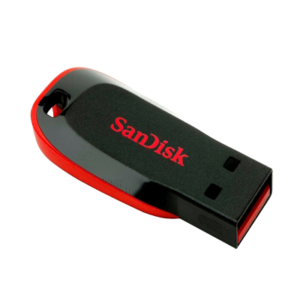
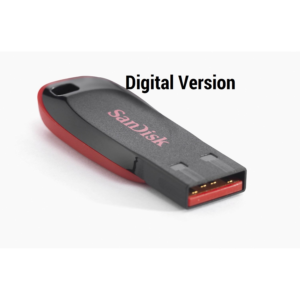
NVIDIA VRAM Test USB — Legacy Edition (v2.1) Supports GTX 6XX Up to RTX 5090
A clean, plug-and-play Legacy/BIOS (CSM) bootable USB image curated by GPU Solutions for
quick and reliable NVIDIA VRAM testing on older or finicky platforms. This build organises tools, scripts,
and documentation into a simple menu so you can boot, run tests, and export logs consistently —
no commands, no coding, no experience required.
You’re purchasing convenience, curation, and documentation—not the proprietary tools themselves.
Who is this for?
- Technicians and enthusiasts working with older motherboards or systems where UEFI is unavailable or unstable.
- Shops that want a repeatable, log-first workflow across mixed hardware generations.
What you get
- Legacy/BIOS bootable image with a fully guided menu system — no commands required.
- Menu-driven workflow: Run tests, view reports, and manage everything with just a few key presses.
- Optional terminal access: Power users can still drop into the terminal if preferred.
- Upgraded display resolution: Now runs at a higher resolution for a cleaner, more readable interface — a significant improvement over the 480p display in v1.0.
- Curated scripts that run automatically through the menu — no coding knowledge needed.
- Organized /logs output (bank/channel hints like A0/A1, B0/B1, etc.).
- Quick-start README (inside the ZIP) with step-by-step instructions and tips.
Why this build?
- Zero commands required: Everything from running tests to viewing reports is handled through the menu system — just press a few keys.
- No programming knowledge needed: The entire workflow is guided — anyone can use it.
- Better display: No more squinting at a cramped 480p screen — runs at a higher resolution for a much more comfortable experience.
- Maximum backwards compatibility: Boots on platforms that struggle with UEFI.
- Zero clutter: Clean environment, predictable paths, repeatable results.
- Terminal option available: Prefer the command line? You still have full terminal access.
- Support-friendly: When you share your
/logs, we can help you interpret them quickly.
Important notes (read before purchase)
- The test identifies failing banks/channels (e.g., A0/A1), but that does not prove a specific VRAM IC is bad. Root cause can also be pads under the VRAM or pads under the GPU core. Treat results as a diagnostic step, not the final verdict.
- This is a Legacy/BIOS (CSM) build. On some systems, you may need to enable CSM/Legacy Boot and/or disable Secure Boot to boot.
- For modern boards, consider the UEFI Edition. Many shops keep both for full coverage.
- AMD CPUs DO NOT work with Nvidia MATS and MODS.
- Intel CPUs between the 3rd Gen and 8th Gen are compatible with MATS and MODS.
Checksum (integrity)
Verify your download to ensure the file is intact:
SHA-256:
22249D853D030F025ACFA42E3EAA0F7A156D7EA80EF002F40E54B110ABF98AC9
How to verify (Windows/macOS/Linux)
Windows (PowerShell):
Get-FileHash .\VRAM_Test_V21_Legacy_Digital.zip -Algorithm SHA256macOS/Linux:
shasum -a 256 VRAM_Test_V21_Legacy_Digital.zip
# or
sha256sum VRAM_Test_V21_Legacy_Digital.zip
What’s included vs. not included
- Included: Curated boot image, menu system, scripts, docs, and a structured workflow.
- Not included: Any proprietary software licenses; we are providing packaging and documentation for convenience.
Support
- Basic support for installation/boot issues and log interpretation basics.
- For help, reply to your order email and attach your
/logsfolder, or contact: [email protected].
Refunds
Because this is a digital download, all sales are final once the download starts.
Please verify compatibility (Legacy/CSM boot) before purchase.
Bundle option (recommended)
Prefer maximum compatibility across new and old systems? Get the UEFI + Legacy bundle.
Many repair shops keep both on a single USB (via a multi-boot tool) to cover edge cases.
Changelog
- v2.1 — June 2026:
- Bug Fixes: Power Off and Restart no longer hang when triggered from boot.
- GPU Corrections: RTX 3050 Ti removed (model does not exist). RTX 4060 Ti correctly moved to GDDR6X category. RTX 3070 Ti correctly separated from RTX 3070 (GDDR6X, not GDDR6).
- Display Setup Improvements: GDDR6 GPUs no longer require MODS to be run before MATS or NVMT — tests can now be run in any order. GDDR6X and GDDR7 GPUs now show a warning to run MODS before MATS and NVMT. NVMT warning removed from GDDR6 GPU sub-menu.
- v2.0: Introduced fully guided menu system — run tests, view reports, and manage everything with just a few key presses. Zero commands required. No programming knowledge needed. Terminal access still available for advanced users. Display upgraded from 480p to a higher resolution for a cleaner, more comfortable interface. Support range updated to GTX 6XX up to RTX 5090.
- v1.0: Initial Legacy release — cleaned build, organized menus, default scripts, log collector, README.


Reviews
There are no reviews yet.