


Description
NVIDIA VRAM Test USB — UEFI Edition (v2.1) Physical USB | Supports GTX 6XX Up to RTX 5090
The same powerful UEFI-based NVIDIA VRAM testing tool as our digital version — preloaded on a physical
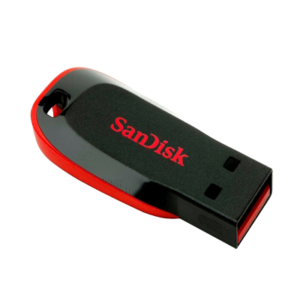
16GB USB drive and shipped directly to you. No downloading, no software to install, no USB writing required.
Just plug in and boot. Perfect for technicians, repair professionals, and GPU enthusiasts who want
hardware-level VRAM diagnostics without any setup hassle.
Who is this for?
- Repair technicians and shops who want a ready-to-use VRAM testing tool straight out of the package.
- Anyone who doesn’t want the hassle of downloading, extracting, and writing an image to a USB themselves.
- GPU enthusiasts who want a dedicated, physical testing tool always on hand.
What you get
- 16GB USB Flash Drive preloaded and ready to boot — no setup required.
- UEFI bootable with the full v2.1 guided menu system — everything from running tests to viewing reports with just a few key presses.
- Terminal command sheet included with the USB — for those who prefer manual control.
- Full user manual (23 pages) delivered to your email as a PDF after purchase — no bulky printed booklet, keeping the package light for shipping.
Why buy the physical USB over the digital download?
- Zero setup: No downloading, no extracting ZIPs, no writing images to USB — it arrives ready to use.
- No technical knowledge required: Plug it in, boot, and the guided menu takes care of everything.
- Always ready: Keep it in your toolkit — no relying on a laptop or extra software to prepare it.
- Same software, physical convenience: Identical to the digital UEFI v2.1 edition, just preloaded for you.
How it works
- Plug the USB into your test system.
- Boot from the USB (disable Secure Boot if required).
- Use the guided menu to run tests, view reports, and export logs — no commands needed.
- Logs are saved with bank/channel hints (e.g. A0/A1, B0/B1) for easy diagnosis.
- Prefer the terminal? Full terminal access is available if needed.
Important notes (read before purchase)
- The test identifies failing banks/channels (e.g., A0/A1), but that does not prove a specific VRAM IC is bad. Root cause can also be pads under the VRAM or pads under the GPU core. Treat results as a diagnostic step, not a final verdict.
- This is a UEFI-only USB. Your system must support UEFI boot. If your motherboard enforces Secure Boot, you may need to disable Secure Boot to boot this USB.
- For older systems requiring Legacy/CSM boot, please see our Legacy Edition or the UEFI + Legacy Bundle.
- AMD CPUs DO NOT work with Nvidia MATS and MODS.
- Intel CPUs between the 3rd Gen and 8th Gen are compatible with MATS and MODS.
What’s included vs. not included
- Included: Preloaded 16GB USB, terminal command sheet, PDF user manual via email.
- Not included: Any proprietary software licenses; we provide packaging, curation, and documentation for convenience.
Support
- Basic support for boot issues and log interpretation basics.
- For help, reply to your order email and attach your
/logsfolder, or contact: [email protected].
Shipping
- Physical USB shipped directly to your address.
- If your country is not in the shipping list, please email [email protected] with your shipping address and it will be updated immediately.
Refunds
Because this product contains preloaded software, all sales are final once the item is shipped.
Please verify compatibility (UEFI boot, Intel CPU 3rd–8th Gen) before purchase.
Changelog
- v2.1 — June 2026:
- Bug Fixes: Power Off and Restart no longer hang when triggered from boot.
- GPU Corrections: RTX 3050 Ti removed (model does not exist). RTX 4060 Ti correctly moved to GDDR6X category. RTX 3070 Ti correctly separated from RTX 3070 (GDDR6X, not GDDR6).
- Display Setup Improvements: GDDR6 GPUs no longer require MODS to be run before MATS or NVMT — tests can now be run in any order. GDDR6X and GDDR7 GPUs now show a warning to run MODS before MATS and NVMT. NVMT warning removed from GDDR6 GPU sub-menu.
- v2.0: Fully guided menu system — run tests, view reports, and manage everything with just a few key presses. Zero commands required. Terminal access still available for advanced users. Support range GTX 6XX up to RTX 5090.


Reviews
There are no reviews yet.